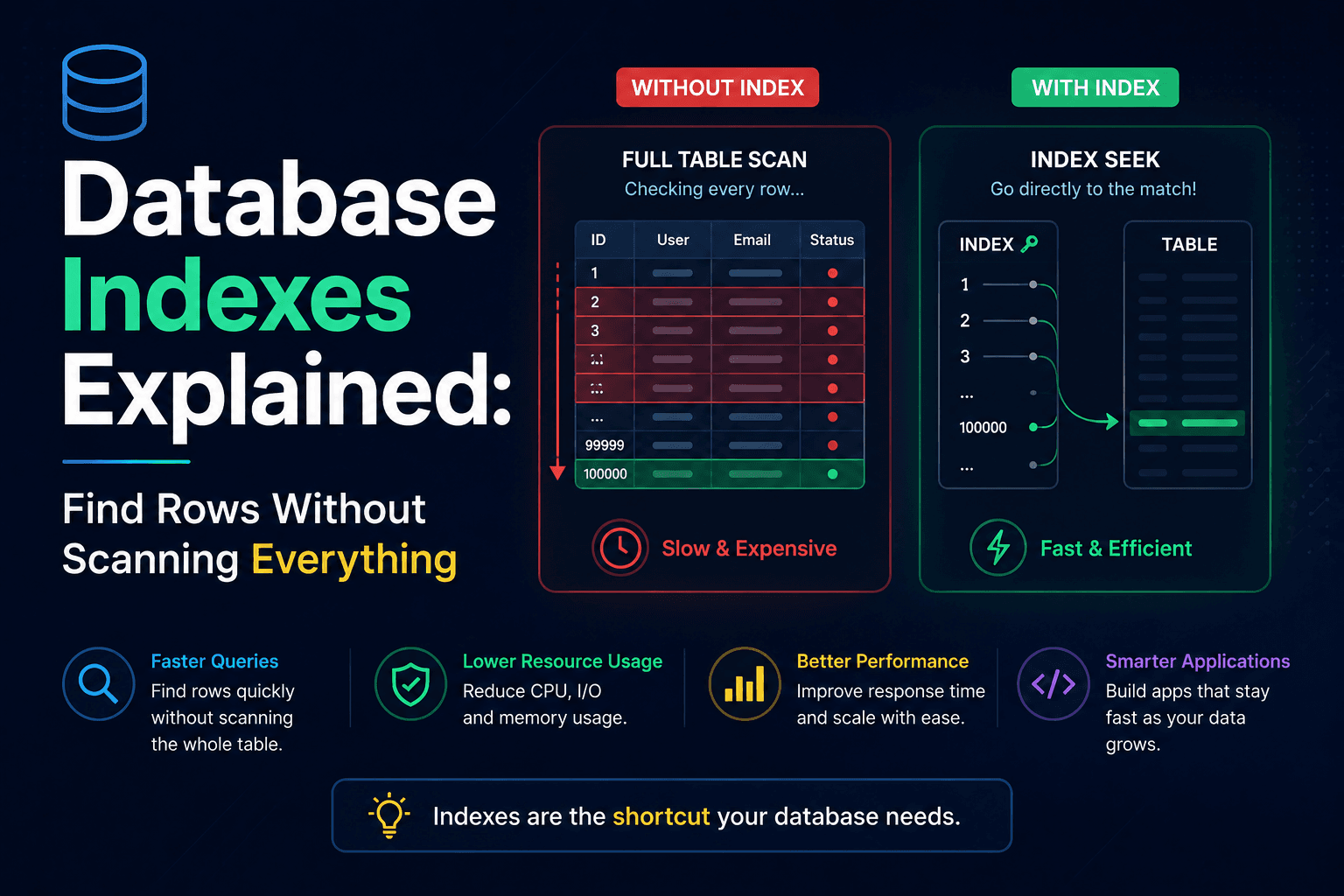
Database Indexes Explained: Find Rows Without Scanning Everything
A practical guide to database indexes: what they are, how B-trees find rows, when composite and covering indexes help, and when another index only slows your writes.
Your app feels fine with a few thousand rows. Then traffic grows, a list page starts timing out, and SELECT * FROM books WHERE author_id = 42 suddenly reads the whole table. Database indexes exist for that moment: a separate structure that maps values to row locations so the engine can jump instead of scan.
After this guide you will know what an index is, how a B-tree lookup works, which index types matter in daily work, and when adding another index will slow writes more than it helps reads.
What a database index actually is
An index is not magic on the column itself. It is an extra data structure the database keeps next to your table – usually a balanced tree – that stores sorted key values and pointers to the matching rows.
Picture a library. Without a card catalog, finding every book by one author means walking every shelf. With a catalog sorted by author, you open the right drawer, follow the card to a shelf location, and stop. That catalog is the index. The shelves are the table.
Without an index, a filter like this forces a sequential scan: the engine reads every row and checks the condition.
SELECT title, published_at
FROM books
WHERE author_id = 42;
On a tiny table that is cheap. On millions of rows it is expensive. With an index on author_id, the planner can walk the tree, land on matching leaf entries, and fetch only those rows. The win is often orders of magnitude – seconds down to milliseconds – when the filter is selective.
A minimal example you can run
Assume a books table used by a small catalog API. Readers often load one author's titles:
CREATE TABLE books (
  id BIGSERIAL PRIMARY KEY,
  author_id BIGINT NOT NULL,
  title TEXT NOT NULL,
  status TEXT NOT NULL,
  published_at TIMESTAMPTZ NOT NULL
);

CREATE INDEX idx_books_author ON books (author_id);
What that CREATE INDEX does:
- Reads every
author_idvalue currently in the table - Builds a balanced tree of sorted keys and child pointers
- Puts leaf entries that point at row locations (or page identifiers)
- Keeps the tree balanced as you insert, update, and delete
Later, when a query filters on author_id, the engine starts at the root, picks the correct child at each level, and reaches the leaf in a handful of page reads. For a multi-million-row table that is often three or four hops instead of reading every page of the heap.
How the lookup works under the hood
Most relational databases default to B-tree indexes (PostgreSQL, MySQL/InnoDB, SQL Server, and friends). "B-tree" here means a self-balancing multi-way tree optimized for disk pages: each node holds many keys, and every leaf sits at roughly the same depth.
Equality (=), ranges (BETWEEN, <, >), sorting (ORDER BY), and prefix matches (LIKE 'sql%') all fit B-trees well because the keys are ordered.
-- B-tree handles these patterns cleanly
SELECT * FROM books
WHERE published_at BETWEEN '2025-01-01' AND '2025-06-01';

SELECT * FROM books
WHERE title LIKE 'Design%';

SELECT * FROM books
ORDER BY published_at DESC
LIMIT 20;
A trailing wildcard like LIKE '%Design' cannot use a normal B-tree on title the same way, because the ordered prefix is missing. That mismatch is a common reason an index "exists" but the planner still chooses a sequential scan.
The write-side bill
Indexes are not free. Every INSERT, every update to an indexed column, and every DELETE must maintain the table and each affected index. Ten indexes on a hot write table means ten structures to update on every change.
Treat indexes as a bet: you pay a little on every write so the reads you care about stay cheap. If you never query a column, indexing it is pure overhead.
Index types you will meet in practice
B-tree (the default)
Use this unless you have a clear reason not to. It covers the everyday mix of filters, sorts, and joins.
Hash index
Hash indexes shine at exact equality and nowhere else. They do not help ranges or ordering. PostgreSQL lets you create them; MySQL's InnoDB does not expose a user-created hash index the same way (it uses adaptive hash internals you do not manage yourself).
-- Equality-only lookup: a possible hash-index fit in PostgreSQL
SELECT * FROM sessions
WHERE token = 'a8f3c2e1...';
For most app code, stick with B-tree unless you have measured a narrow equality-only hotspot and know your engine's hash-index tradeoffs.
Clustered vs non-clustered
Clustered means the table rows themselves are stored in index order. You get one clustered layout per table because rows can only live in one physical order. In InnoDB, the primary key is the clustered index. PostgreSQL stores heaps by default and can rewrite physical order with CLUSTER, which is related but not identical to InnoDB's model.
Non-clustered indexes are separate structures: indexed columns plus a pointer back to the full row. You can have many. After an index hit, the engine often still does a bookmark lookup to load the rest of the row – unless the index already covers every column the query needs.
Practical takeaway: range scans on the clustered key tend to read contiguous pages. The same filter through a non-clustered index may bounce around the heap for each row.
Composite (multi-column) indexes
Column order matters. A composite index is useful for the leftmost prefix of its columns, not for arbitrary subsets.
CREATE INDEX idx_books_status_published
ON books (status, published_at);
This helps:
WHERE status = 'available'WHERE status = 'available' AND published_at > '2025-01-01'
It does not help a query that only filters on published_at. If that second pattern is common, you need a different index (or a different leading column).
Partial indexes
Index only the rows you actually query. Smaller indexes are faster to scan and cheaper to maintain.
-- PostgreSQL: skip drafts that almost never appear in the public catalog
CREATE INDEX idx_books_live_author
ON books (author_id)
WHERE status = 'published';
Covering indexes
If every column the query needs lives in the index, the engine can answer without touching the table (an index-only scan in PostgreSQL terms).
CREATE INDEX idx_books_author_covering
ON books (author_id)
INCLUDE (title, published_at);
The query that selects author_id, title, and published_at can stay inside the index. That removes the extra hop to the heap – valuable on hot read paths.
When to add an index – and when to skip
Add an index when:
- The column shows up often in
WHERE,JOIN, orORDER BY - Values are selective (many distinct values relative to row count)
- Slow-query logs or
EXPLAINshow sequential scans on a large table - You need uniqueness (
UNIQUEindexes enforce and speed lookups)
Skip or postpone when:
- The table is tiny (a few thousand rows). A sequential scan is often fine
- The column has very low selectivity (a boolean with a 50/50 split rarely helps alone)
- The table is write-heavy and already carries many indexes
- The query returns a huge slice of the table. Fetching most rows through random index lookups can be slower than one sequential read
Foreign keys deserve a special callout: almost always index the referencing column. Joins and cascades use it constantly, and PostgreSQL does not create that index for you automatically (InnoDB often does for foreign keys).
Prove the planner is using it
Guessing is how unused indexes accumulate. Ask the planner.
In PostgreSQL:
EXPLAIN ANALYZE
SELECT title, published_at
FROM books
WHERE author_id = 42;
Look for Index Scan or Index Only Scan. A plain Seq Scan on a large table means the planner declined your index – wrong leading column, low selectivity, stale statistics, or a query shape the index cannot serve.
To hunt tables that lean on sequential scans:
SELECT relname, seq_scan, seq_tup_read, idx_scan
FROM pg_stat_user_tables
WHERE seq_scan > 100
ORDER BY seq_tup_read DESC
LIMIT 10;
In MySQL, EXPLAIN exposes the chosen key, and views such as sys.statements_with_full_table_scans highlight queries that skip indexes.
Unused indexes show up in PostgreSQL's pg_stat_user_indexes (idx_scan stuck at zero for months is a strong drop candidate). Dead indexes still tax every write.
Mistakes that waste space and latency
Indexing every column "just in case." You pay write amplification forever for queries nobody runs.
Wrong composite order. Putting the low-selectivity or rarely filtered column first makes the index useless for your real filters.
Expecting LIKE '%term' to use a B-tree. Leading wildcards break prefix order. Full-text or trigram indexes (for example PostgreSQL GIN / pg_trgm) are the right tool for that search shape.
Ignoring bloat. In PostgreSQL, heavy update/delete workloads leave dead tuples in indexes. The structure grows; scans get slower. REINDEX or online tools like pg_repack rebuild without the long-term waste. Watch index size relative to table size as an early signal.
Bulk loading through a forest of indexes. Large imports often go faster if you drop or defer secondary indexes, load the data, then rebuild. PostgreSQL's CREATE INDEX CONCURRENTLY builds without a long exclusive lock when you must index a live table.
Assuming one index type fits JSON. You can index JSON in modern engines – PostgreSQL GIN on jsonb, MySQL multi-valued indexes on JSON arrays – but those structures cost more on writes. Use them for real query patterns, not decoration.
A simple habit for your next slow query
When a page feels slow, do not add three indexes from intuition. Capture the SQL, run EXPLAIN ANALYZE, note whether you see a sequential scan, and add one index that matches the filter or join. Re-measure. If idx_scan never moves in production stats after a week, drop the index and reclaim the write budget.
Indexes are one of the highest-leverage tools in a relational database – as long as each one earns its keep.
Further reading
- PostgreSQL documentation: Indexes – official index types and behavior
- MySQL documentation: Optimization and Indexes – InnoDB index guidance
- SQL Server documentation: Clustered and nonclustered indexes – clustered vs nonclustered model
Related posts
- Using SQS between upload and image processing
How to send a small job to Amazon SQS after the file is in S3. Covers SendMessage, long polling, visibility timeout, and deleting the message only after the worker finishes.
- Saving uploaded images to S3
How a Node.js API writes the original file to Amazon S3 with PutObject and returns HTTP 202. Resizing happens later, not in the same request.
- Log-Structured Merge Trees: Fast Writes Without Rewriting Pages
How LSM trees buffer writes in memory, flush sorted files, compact in the background, and trade read and space costs for high ingest – plus when a B-tree still fits better.